
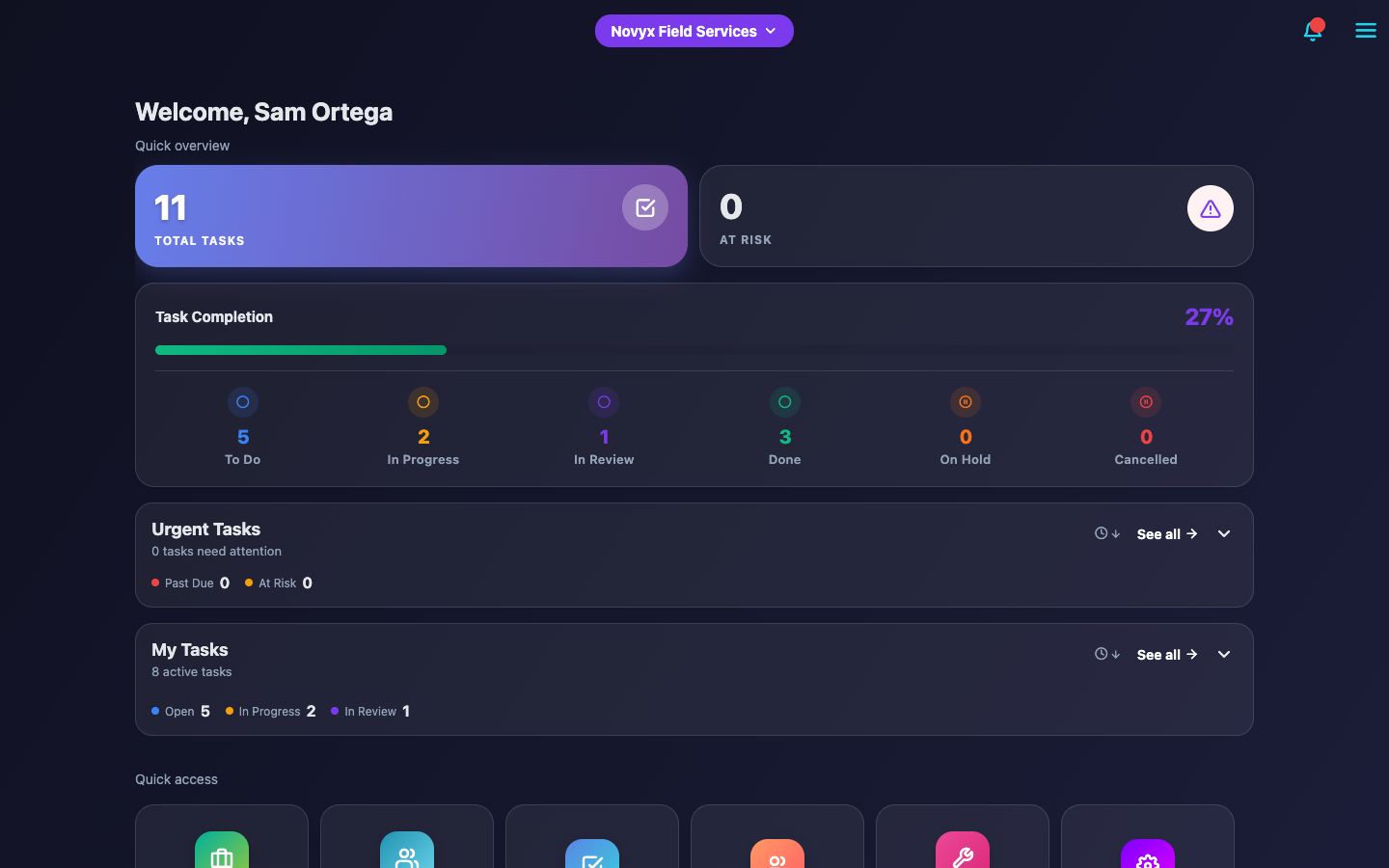
Unlimited Tasks & Projects
Create unlimited tasks, projects, and teams. No artificial limits on your productivity.
JB-0001Field service, tracked end to end
JBTrack runs the job from dispatch to sign-off — automatic time tracking, client signatures, photo proof, and QuickBooks invoicing. On the phone in your tech's pocket and the browser on your desk.
14-day free trial · Full access · No credit card required to demo
JB-0002The problem
If this sounds like your week, nothing's wrong with your business. You've just outgrown the group chat.
did u finish the smith job??
which one
the AC one from tuesday
thats done, pics are on my phone
can u send them?? customer is asking
👍Tue 4:12 PM
customer is still asking for those picsFri 9:03 AM
also whats the address for tomorrow?
JB-1042: AC compressor replacement — rooftop Unit 3
DoneProject: HVAC Retrofit — Building 2
Assigned to: Mike R.
The job details are buried in a group chat.
Every job is a numbered task with a name on it, an address, and a status. Nothing lives in a thread.
The "before" photo is on Mike's phone. Mike's at the lake.
Photos are required on the job and attached to the task before it can close.
It's 9pm and you're re-typing today's work orders into QuickBooks.
Finished tasks sync straight to QuickBooks as invoices, no re-typing. Go home.
A customer disputes the work, and it's your word against theirs.
Client signatures with GPS and timestamps, so "nobody told me" never turns into an argument.
JBTrack doesn't add another app to check. It replaces the group chat, the paper, and the 9pm QuickBooks session.
If your techs can send a text, they can use JBTrack.
Here's how the whole job comes together ↓
JB-0003Features
From task creation to client sign-off, JBTrack handles every step of your workflow.
Create unlimited tasks, projects, and teams. No artificial limits on your productivity.
Time logs start the moment a task moves to “In Progress.” No manual timers, no forgotten hours.
Sync completed tasks to invoices, create customers, and map custom fields automatically.
Legally-binding digital signatures with GPS, IP tracking, and full audit trails.
Unlimited custom forms with text, numbers, signatures, and dropdowns for task completion.
Require before/after proof photos, with draft uploads while work is in progress.
Admin review and approval with rejection feedback and resubmission tracking.
iOS, Android, and web — every task, photo, and signature syncs in real time.
Role-based permissions, company isolation, and unlimited data retention for compliance.
JB-0004The product
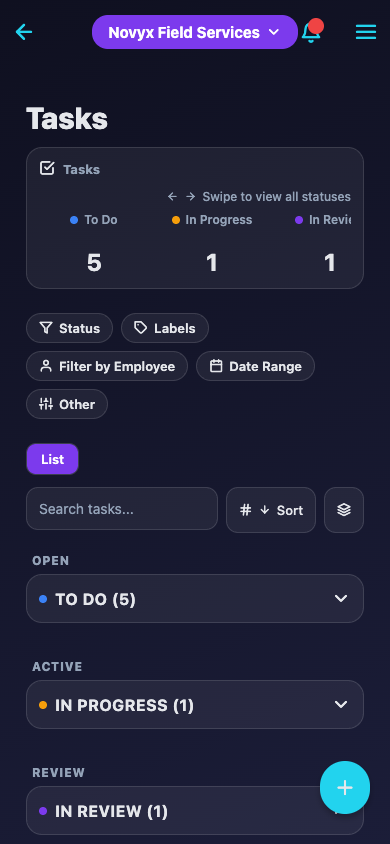
Real screens from JBTrack — the same app your crew opens in the truck and you open at the office.
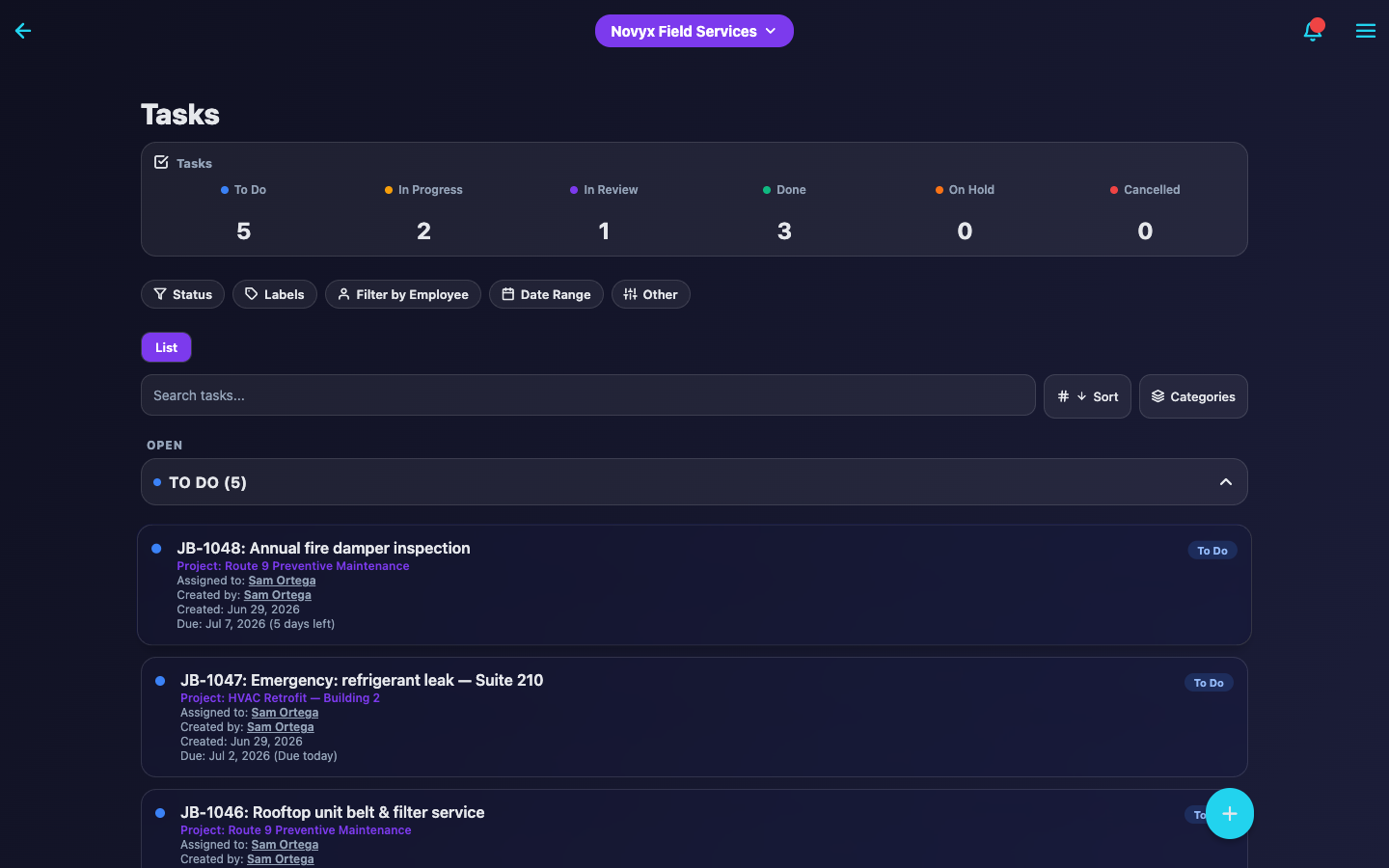
Every task carries its own number, status, assignee, and clock. Filter by project, team, or tech and know exactly where the day stands.
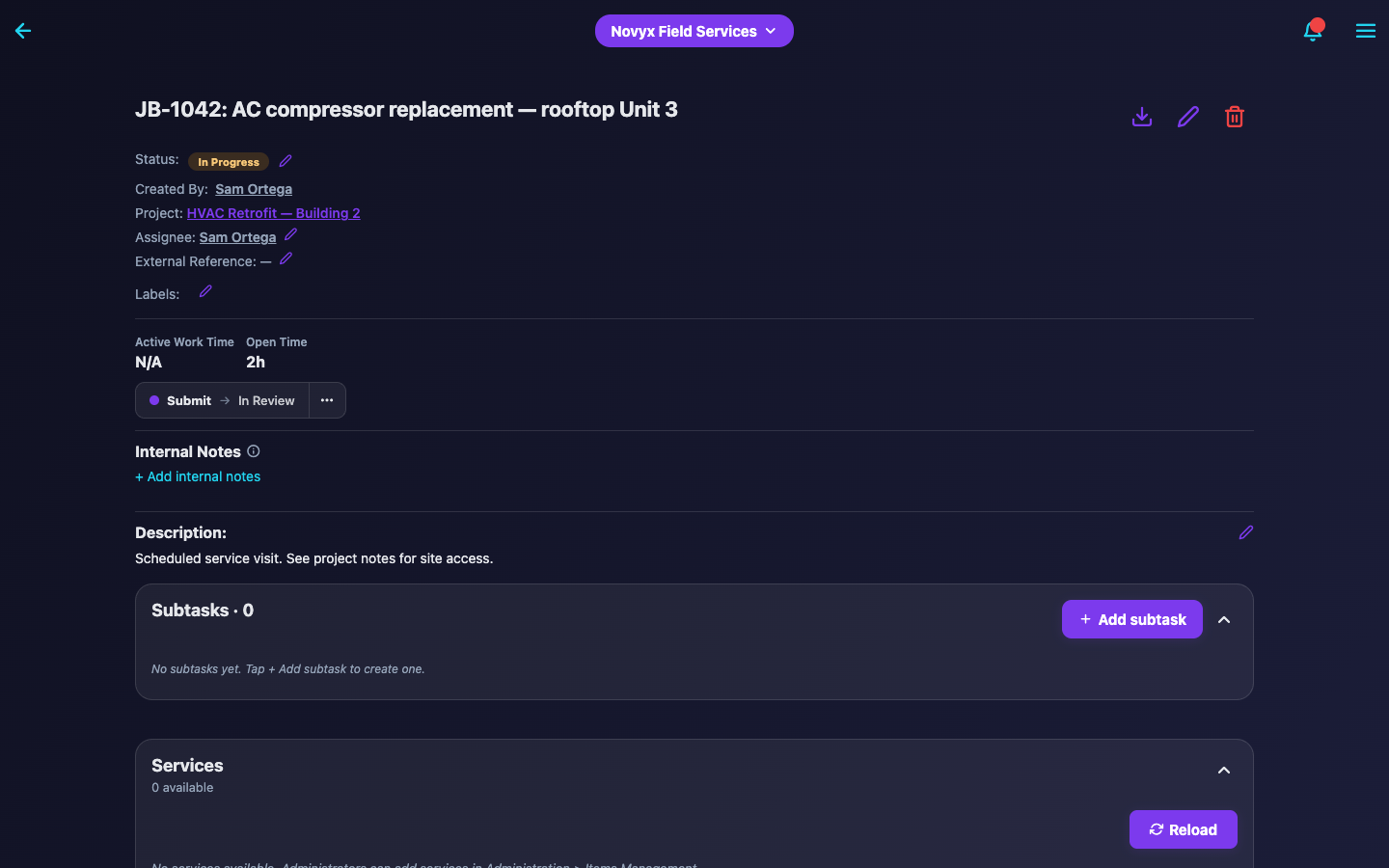
To Do → In Progress → Submitted for Review → Done. Time tracks itself on the transitions, photos and forms gate completion, and rejected work loops back with feedback — not with a phone call.
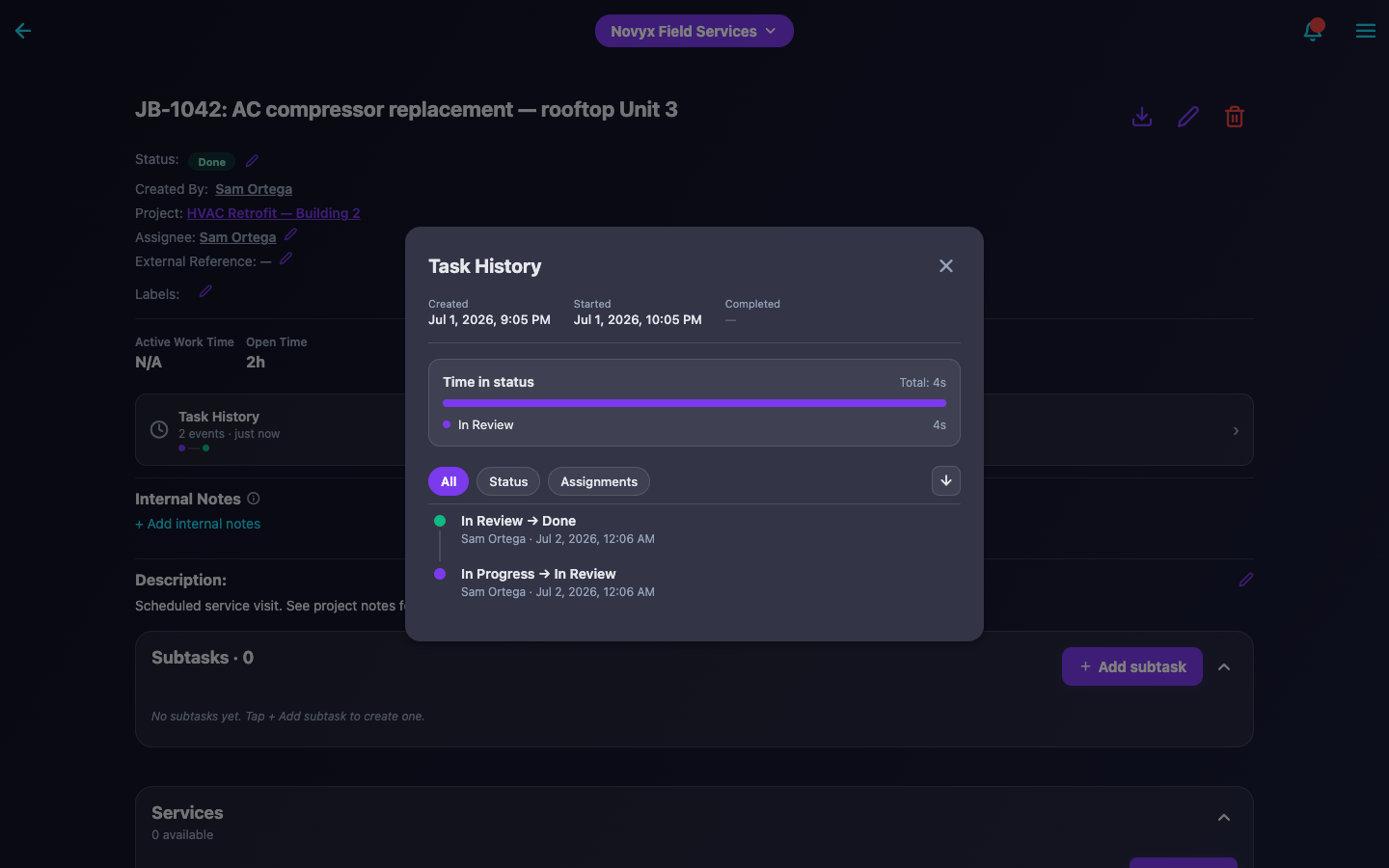
Task history records who did what and when — status changes, time in status, approvals, comments. When a client asks what happened, you have the receipt.
Start with 5 users and grow past 1,000. Add workflow features only when you need them, and pay only for what you use.
JB-0005Customer feedback
The system is reliable, easy to use, and integrates well with our workflow. One thing that really stands out is their customer support, which has always been very responsive and helpful whenever we've needed assistance… we would definitely recommend it to other service businesses.
We manage a little over 30 units, and before JBTrack a maintenance call lived in three places — a voicemail, a text to whoever was closest, and my memory. Now every call becomes a job the second it comes in… We haven't lost a work order since we moved over. That's the whole thing for me.
JB-0006Pricing
All plans include unlimited tasks, projects, teams, and unlimited data retention.
Core task management for any team size
$9.99/user/mo
billed annually — $99.48/user/year
Unlimited retention · 5-user min
Start Free TrialMost popular
Know what every job costs — and prove the work got done
$26.99/user/mo
billed annually — $274.92/user/year
Unlimited retention · 8-user min
Start Free TrialBring your subcontractors in — without buying them a seat
$38.99/user/mo
billed annually — $394.44/user/year
Unlimited retention · 10-user min
Start Free TrialFull-service premium with customization & dedicated support
Contact Us
Custom pricing tailored to your needs
Unlimited retention · 100-user min
Request DemoAdd integrations and advanced features to any base plan. Forms, approvals and photo requirements are already included from Professional up.
Popular
$34.99/company/mo
Full QuickBooks Online integration with automatic invoice creation, customer sync, custom field mapping, multi-item support, and real-time pricing. Includes 1,000 accounting documents per month; $0.05 each after.
Popular
$19.99/company/mo
Legally-binding digital signatures with a full audit trail — GPS, IP, timestamps, device metadata, PDF export. Includes 1,500 signatures per month; $0.05 each after.
Included in Professional+
$19.99/company/mo
Unlimited custom forms with text, numbers, signatures, and dropdowns. Save draft responses while work is in progress with a guided completion wizard.
Included in Professional+
$19.99/company/mo
Admin review and approval with rejection feedback, resubmission tracking, real-time notifications, and automated comment logging.
Included in Professional+
$9.99/company/mo
Enforce before-and-after photo documentation before work can progress or complete. In-progress draft photos, automatic validation, audit-ready records.
JB-0007FAQ
Yes. JBTrack offers full QuickBooks Online integration with automatic invoice creation, customer sync, and custom field mapping for $34.99/company/month — including 1,000 accounting documents per month and $0.05 per additional document.
Yes. Our Client Signatures add-on ($19.99/company/month) provides legally-binding digital signatures with GPS verification, IP tracking, and complete audit trails.
Yes. JBTrack offers a 14-day free trial with full access to all features.
Starter includes 5GB, Professional 200GB, Business 500GB, and Enterprise custom — plenty for months to years of job photos. You'll see your usage in the app, and additional storage is available from $0.03–0.07/GB/month depending on your plan.
Yes. The 14-day free trial gives you full access, so you can put QuickBooks Sync, Client Signatures, and the other add-ons to work on real jobs before you pay. After that, add or remove add-ons any time — charges are prorated automatically.
JBTrack works on iOS, Android, and web browsers. Your data syncs automatically across all devices in real time.
When you start working on a task, JBTrack automatically logs your time. When you complete or pause the task, the timer stops. All time logs are saved to the task for accurate billing and reporting.
Yes, on the Enterprise plan. Switch between companies instantly and manage separate teams, projects, and tasks for each business.
Yes, on Business and Enterprise. Share the task with an outside contractor through a private link — no login and no extra seat. They can add photos, fill out forms, update the status and comment, limited to what you allow. Everything they do shows up in the task history.